How to Set Up Wifi Smart Switch for Your Home Automation?
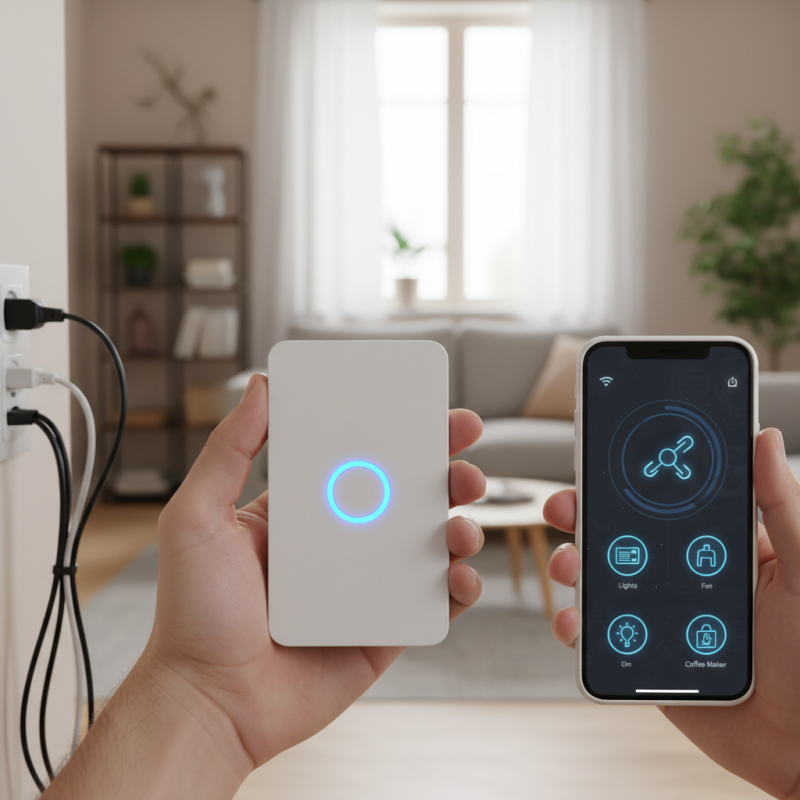
A Wifi Smart Switch can greatly enhance your home automation experience. Imagine controlling your lights and appliances with just a tap on your smartphone. It's convenient and efficient. Setting up a Wifi Smart Switch might seem challenging, but it can be straightforward with the right guidance.
Many homeowners often overlook the potential of these devices. They think that automation may be too complicated or expensive. However, with a Wifi Smart Switch, you can easily manage your devices. It's an accessible solution for modern living. You may not need to hire an expert; most switches come with user-friendly instructions.
While the setup process is generally simple, minor issues may arise. Connectivity problems can sometimes happen, leading to frustration. Don’t be disheartened; troubleshooting is part of the experience. Embracing these challenges will make you more adept at handling smart home technology.
Understanding the Basics of Wifi Smart Switches and Home Automation
Wifi smart switches are pivotal in home automation. These devices allow control over lights and appliances from anywhere. A recent report from Statista reveals that the smart lighting market is projected to reach $75.9 billion by 2025. The convenience and energy efficiency they offer are undeniable. Yet, many homeowners remain uncertain about their functionality.
Setting up a Wifi smart switch can feel daunting. Users often struggle with network connectivity and compatibility issues. In fact, 30% of owners report having trouble integrating devices into their existing setups. Some may face security concerns, as improper installations can expose networks to vulnerabilities. These frustrations highlight the need for a clearer understanding of the technology.
Despite these challenges, the benefits of automation are significant. Smart switches can reduce energy consumption by an average of 10-20%. They can be controlled via smartphone apps, ensuring easy access. The technology does require a learning curve, though. Users must familiarize themselves with setup processes and app interfaces. Small mistakes can lead to larger problems in home systems.
Smart Switch Usage by Type in Home Automation
This bar chart shows the percentage usage of different types of smart switches in home automation systems. The data highlights the growing interest in various functionalities among homeowners.
Choosing the Right Wifi Smart Switch for Your Needs
When choosing the right Wi-Fi smart switch for your home, consider several factors. The global smart home market is projected to reach $174 billion by 2025, revealing a growing trend. Think about your home’s needs. Is your space small or large? Different switches cater to varying home sizes.
Compatibility is crucial. A device should work seamlessly with your existing smart home ecosystem. Many devices support Amazon Alexa, Google Assistant, or Apple HomeKit. A survey found that 77% of homeowners prefer products that integrate effortlessly. Also, check for features like energy monitoring. Devices with this functionality help track energy usage, potentially saving you money.
Tips: Always read reviews from other users. Their experiences can reveal any potential issues. Look for a switch with a user-friendly app. Complex setups can lead to frustration. And remember to assess the range of your Wi-Fi. Weak signals can affect performance, which might require a range extender.
Step-by-Step Installation Process for Wifi Smart Switches
Setting up a Wi-Fi smart switch in your home can enhance your convenience. The installation process, however, may present some challenges. Start by gathering your tools. You’ll need a screwdriver, wire stripper, and a voltage tester. Safety is crucial. Always turn off the power before you begin.
Next, remove the old switch. Use the voltage tester to ensure no electricity is flowing. Carefully disconnect the old wires and label them if needed. This step can be tricky. It’s vital to remember which wire connects where. Take pictures for future reference. Once you have the old switch out, you can install the new smart switch.
Connect the wires according to the color codes. This is where many encounter issues. If the connections aren't secure, the switch may not work. After wiring, attach the new switch to the wall. Turn the power back on and check if it’s functioning. Sometimes, you might need to reset the switch or adjust settings. Stay patient, as troubleshooting may be necessary. Enjoy the convenience of your new setup once it’s working.
Configuring Your Wifi Smart Switch with a Mobile App
Setting up your WiFi smart switch can be a straightforward process. You’ll need a reliable mobile app to configure it. Begin by downloading the app from your app store. Open it and create an account or log in. This is essential for device management.
Once you have the app open, ensure that your WiFi is operational. Connect your smart switch to a power source. It should begin to blink, indicating it’s ready. Go back to your app, tap on "Add Device," and follow the on-screen instructions. This usually involves selecting your WiFi network and entering the password. Keep an eye on connection stability; if it fails the first time, try again slowly.
**Tips:**
Check if your phone is connected to the correct WiFi before starting. Sometimes, a simple reset of the switch can resolve connection issues. Be patient during setup; it rarely works the first time.
After configuration, explore additional settings in the app. You may customize schedules for when your switch operates. Consider adding automation scenes for different times of the day. These features enhance usability but can be overwhelming initially. Don’t hesitate to revisit the app settings if you’re unsure.
Integrating Wifi Smart Switches into Your Home Automation System
Integrating WiFi smart switches into your home automation system can transform your living space. These devices allow you to control lights and appliances with ease. Imagine dimming your living room lights with your phone while relaxing on the couch. It’s a simple luxury that modern technology offers.
Start by identifying the areas in your home that would benefit from smart switches. Consider the placement of outlets and existing fixtures. It's important to understand the wiring requirements before installation. Take the time to read the installation manual carefully. Mistakes can lead to malfunctions or damage.
Once installed, connect the smart switch to your WiFi network. Ensure your router is within range for a stable connection. Test the switch with your smartphone app. Sometimes, the process can be frustrating if the connection fails. Reflect on where improvements can be made. Perhaps a WiFi extender is needed, or maybe you need to reset your router. Stay patient and enjoy the convenience these devices bring to your daily life.